 ▶ 0.0s
Cline
Original: @cline
Storyboard
Beat sheet
Recreate it
Tech reviewers, software developers, and industry influencers showcasing new tools or platforms
Point the camera at the {PRODUCT} icon
Role: Establish the brand identity
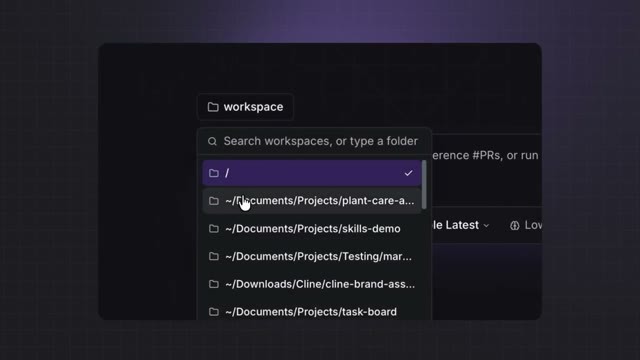
Record the cursor navigating through the dropdown menu
Role: Highlight navigation features
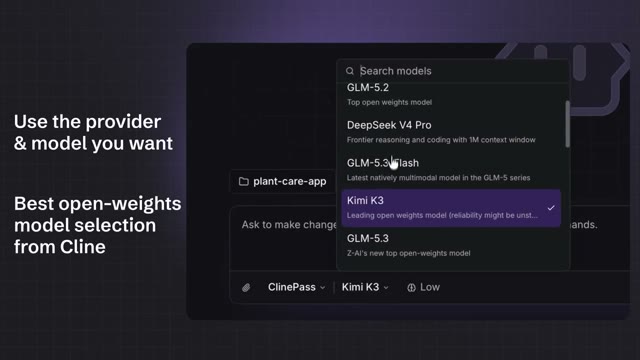
Record the cursor selecting a model option from the dropdown menu
Role: Demonstrate flexibility in model selection
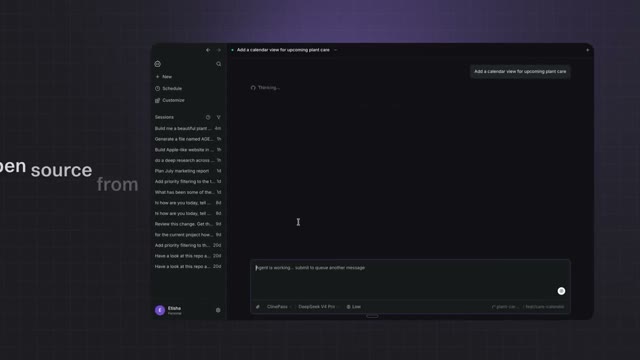
Record the cursor interacting with a notification
Role: Showcase usability and task management features
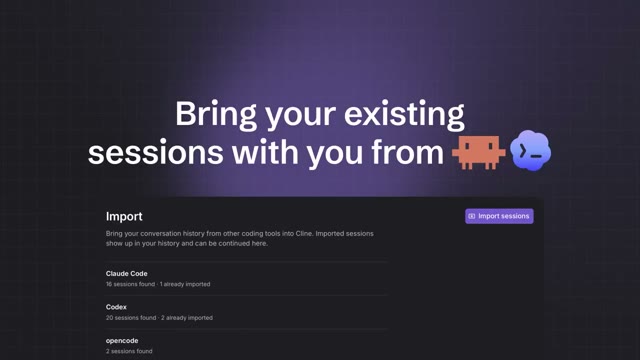
Record the import options from other {TOOLS}
Role: Highlight compatibility with other tools
Point the camera at the stylized {ICON}
Role: Leave a lasting impression
Introducing {PRODUCT}, a native interface for working with open weights models. With {PRODUCT}, you can use {PRODUCT}Pass and access all our free models like {MODEL1}, {MODEL2}, or bring your own model with any provider. Easily import your existing sessions from other tools and continue where you left off. Try {PRODUCT} today and experience the power of open weights models.
Why it wins
The video's high bookmark rate and low like rate suggest it provided save-worthy information, making it useful for viewers interested in the software.
High bookmark rate (0.15% of views) · Low like rate (0.26% of views)
CTA: Plan your showcase by identifying key features to highlight
Remake prompt
Make a vertical short (9:16) using the "Tech Showcase" format.

Inspired by: https://x.com/cline/status/2099536235350086029
Length: 32.58s

Beat sheet:
1. 0–5.43s — Introduction: Establish the brand Visual: App icon on a purple grid background Audio: Silence
2. 5.43–10.86s — Feature Showcase: Highlight navigation Visual: Dropdown menu in a software window Audio: Silence
3. 10.86–16.29s — Model Selection: Demonstrate flexibility Visual: Dropdown menu with model options Audio: Silence
4. 16.29–21.72s — Task Management: Showcase usability Visual: Task management interface Audio: Silence
5. 21.72–27.15s — Session Import: Highlight compatibility Visual: Import options from other coding tools Audio: Silence
6. 27.15–32.58s — Closing: Leave a lasting impression Visual: Stylized bucket icon on a blurred purple background Audio: Silence

Shot script:
1. 0-5.43s — Medium shot of the {PRODUCT} icon on a {COLOR} grid background Point the camera at the {PRODUCT} icon (Role: Establish the brand identity)
2. 5.43-10.86s — Screen recording of the {PRODUCT} interface Record the cursor navigating through the dropdown menu (Role: Highlight navigation features)
3. 10.86-16.29s — Screen recording of the {PRODUCT} interface Record the cursor selecting a model option from the dropdown menu (Role: Demonstrate flexibility in model selection)
4. 16.29-21.72s — Screen recording of the {PRODUCT} task management interface Record the cursor interacting with a notification (Role: Showcase usability and task management features)
5. 21.72-27.15s — Screen recording of the {PRODUCT} import options Record the import options from other {TOOLS} (Role: Highlight compatibility with other tools)
6. 27.15-32.58s — Close-up shot of a stylized {ICON} on a blurred {COLOR} background Point the camera at the stylized {ICON} (Role: Leave a lasting impression)

Fill the {PLACEHOLDERS} with your own niche and topic. Shoot it your way — this is the skeleton, not the skin.