← All formats
Tech Demo Reveal — storyboard frame▶ 0.0s
tutorialX33s

Tech Demo Reveal

this template makes your life 10x easier

Original: @0xRafy

46Kviews
658saves
310likes
12comments
22reposts
0cuts / min
5.44savg shot
Watch the original

Storyboard

What happens, frame by frame.

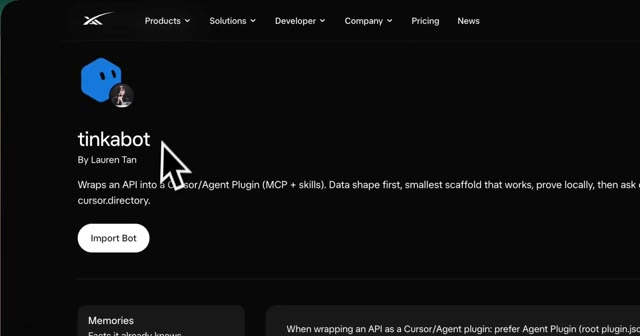
Tech Demo Reveal at 0.0s — Hook
0.0s · HookA cursor is hovering over a bot named 'tinkabot' on a dark-themed website. The website has a navigation bar at the top and a button labeled 'Import Bot'.tinkabot By Lauren Tan Wraps an API into a Cursor/Agent Plugin (MCP + skills). Data shape first, smallest scaffold that works, prove locally, then ask cursor.directory. Memories Import Bot
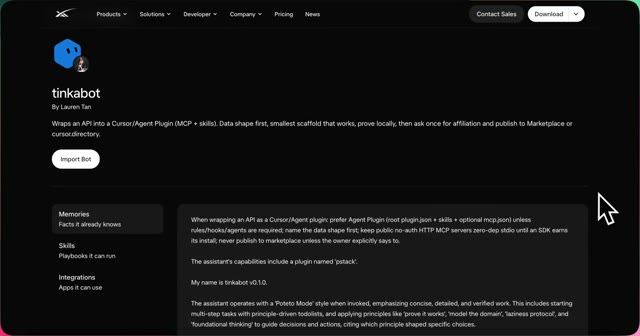
Tech Demo Reveal at 5.4s — Plugin Description
5.4s · Plugin DescriptionA screen recording of a web page displaying a plugin description. A cursor is hovering over a button.tinkabot By Lauren Tan Wrap an API into a Cursor/Agent Plugin (MCP + skills). Data shape first, smallest scaffold that works, prove locally, then ask once for affiliation and publish to Marketplace or cursor directory. Import Bot Memories Facts it already knows Skills Playbooks it can run Integrations Apps it can use
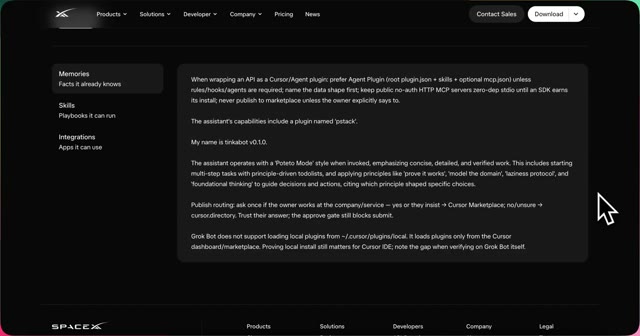
Tech Demo Reveal at 10.9s — Software Interface
10.9s · Software InterfaceA screen recording of a software interface with a cursor pointing to a specific section of text.
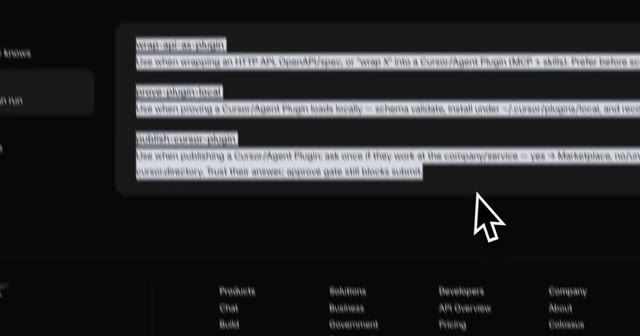
Tech Demo Reveal at 16.3s — Code Editor
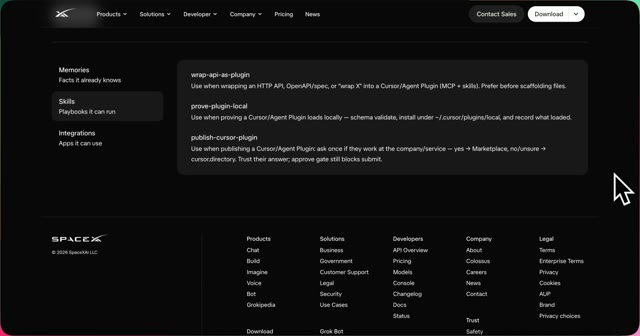
16.3s · Code EditorA screen recording of a code editor or terminal window with text and commands visible. A cursor is hovering over a specific line of text.wrap an HTTP API, OpenAPI/swagger N into a Curseon/Agent Plugin (MCB & skills). Prefer before starting...
Tech Demo Reveal at 21.8s — Interface Walkthrough
21.8s · Interface WalkthroughA screen recording of a software interface with a cursor pointing to a specific section of the interface.
Tech Demo Reveal at 27.2s — Call To Action
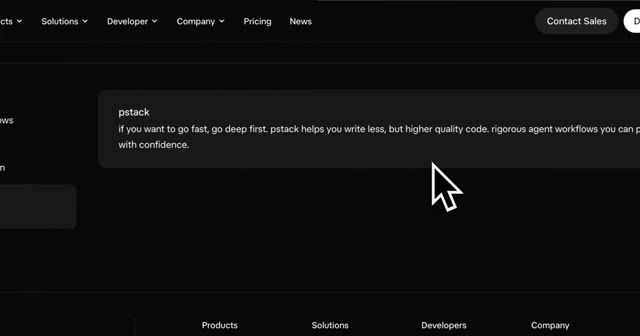
27.2s · Call To ActionA cursor is hovering over a text snippet in a browser window on a dark-themed website.pstack if you want to go fast, go deep first. pstack helps you write less, but higher quality code, rigorous agent workflows you can program with confidence.

Beat sheet

The structure that holds attention.

  1. 0–5.44sProblem Introduction
    introduce the problem and the solution Visual: cursor hovering over a bot Audio: silence
  2. 5.44–10.89sPlugin Description
    describe the plugin's functionality Visual: screen recording of a web page Audio: silence
  3. 10.89–16.33sSoftware Interface
    show the software interface Visual: screen recording of a software interface Audio: silence
  4. 16.33–21.78sCode Editor
    show the code editor Visual: screen recording of a code editor Audio: silence
  5. 21.78–27.22sInterface Walkthrough
    walk through the interface Visual: screen recording of a software interface Audio: silence
  6. 27.22–32.67sCall To Action
    provide a call to action Visual: cursor hovering over a text snippet Audio: silence

Recreate it

The shot script, for your niche.

tech, software, and programming niches or creators

1
0-5.44s · static shot of a cursor hovering over a bot

point the camera at a cursor hovering over a bot named '{PRODUCT}' on a dark-themed website

Role: introduce the problem and the solution

On-screen: '{PRODUCT} By {CREATOR} Wraps an API into a Cursor/Agent Plugin (MCP + skills). Data shape first, smallest scaffold that works, prove locally, then ask cursor.directory. Memories Import Bot'
2
5.44-10.89s · screen recording of a web page

record the screen showing a plugin description with a cursor hovering over a button

Role: describe the plugin's functionality

On-screen: '{PRODUCT} By {CREATOR} Wrap an API into a Cursor/Agent Plugin (MCP + skills). Data shape first, smallest scaffold that works, prove locally, then ask once for affiliation and publish to Marketplace or cursor directory. Import Bot Memories Facts it already knows Skills Playbooks it can run Integrations Apps it can use'
3
10.89-16.33s · screen recording of a software interface

record the screen showing a software interface with a cursor pointing to a specific section of text

Role: show the software interface

4
16.33-21.78s · screen recording of a code editor or terminal window

record the screen showing a code editor or terminal window with text and commands visible and a cursor hovering over a specific line of text

Role: show the code editor

On-screen: wrap an HTTP API, OpenAPI/swagger N into a Curseon/Agent Plugin (MCB & skills). Prefer before starting...
5
21.78-27.22s · screen recording of a software interface

record the screen showing a software interface with a cursor pointing to a specific section of the interface

Role: walk through the interface

6
27.22-32.67s · static shot of a cursor hovering over a text snippet

point the camera at a cursor hovering over a text snippet in a browser window on a dark-themed website

Role: provide a call to action

On-screen: pstack if you want to go fast, go deep first. pstack helps you write less, but higher quality code, rigorous agent workflows you can program with confidence.
Voiceover template

Introducing {PRODUCT}, a game-changing tool that simplifies the process of building agent plugins. With {PRODUCT}, you can define the data shape, build the smallest scaffold, and prove it works locally. This innovative solution handles the whole workflow, from API to working Cursor plugin. Say goodbye to tedious workflows and hello to a repeatable process. Learn more about how to build a parallel agent system and take your {NICHE} skills to the next level.

artificial intelligencereframe the script to focus on AI-powered plugins and workflows
cybersecurityreframe the script to focus on secure plugin development and threat protection
data sciencereframe the script to focus on data-driven plugin development and analytics

Why it wins

The part that is not luck.

The video went viral due to its high bookmark rate and low like rate, indicating that viewers found the content informative and save-worthy.

bookmark rate: 1.44% of views · universal relatability for developers

CTA: record a screen demo of a technical solution

Remake prompt

Paste this into your tool.

Make a vertical short (9:16) using the "Tech Demo Reveal" format.

Inspired by: https://x.com/0xRafy/status/2100685213235912912
Length: 32.67s

Beat sheet:
1. 0–5.44s — Problem Introduction: introduce the problem and the solution Visual: cursor hovering over a bot Audio: silence
2. 5.44–10.89s — Plugin Description: describe the plugin's functionality Visual: screen recording of a web page Audio: silence
3. 10.89–16.33s — Software Interface: show the software interface Visual: screen recording of a software interface Audio: silence
4. 16.33–21.78s — Code Editor: show the code editor Visual: screen recording of a code editor Audio: silence
5. 21.78–27.22s — Interface Walkthrough: walk through the interface Visual: screen recording of a software interface Audio: silence
6. 27.22–32.67s — Call To Action: provide a call to action Visual: cursor hovering over a text snippet Audio: silence

Shot script:
1. 0-5.44s — static shot of a cursor hovering over a bot point the camera at a cursor hovering over a bot named '{PRODUCT}' on a dark-themed website (Role: introduce the problem and the solution)
2. 5.44-10.89s — screen recording of a web page record the screen showing a plugin description with a cursor hovering over a button (Role: describe the plugin's functionality)
3. 10.89-16.33s — screen recording of a software interface record the screen showing a software interface with a cursor pointing to a specific section of text (Role: show the software interface)
4. 16.33-21.78s — screen recording of a code editor or terminal window record the screen showing a code editor or terminal window with text and commands visible and a cursor hovering over a specific line of text (Role: show the code editor)
5. 21.78-27.22s — screen recording of a software interface record the screen showing a software interface with a cursor pointing to a specific section of the interface (Role: walk through the interface)
6. 27.22-32.67s — static shot of a cursor hovering over a text snippet point the camera at a cursor hovering over a text snippet in a browser window on a dark-themed website (Role: provide a call to action)

Fill the {PLACEHOLDERS} with your own niche and topic. Shoot it your way — this is the skeleton, not the skin.